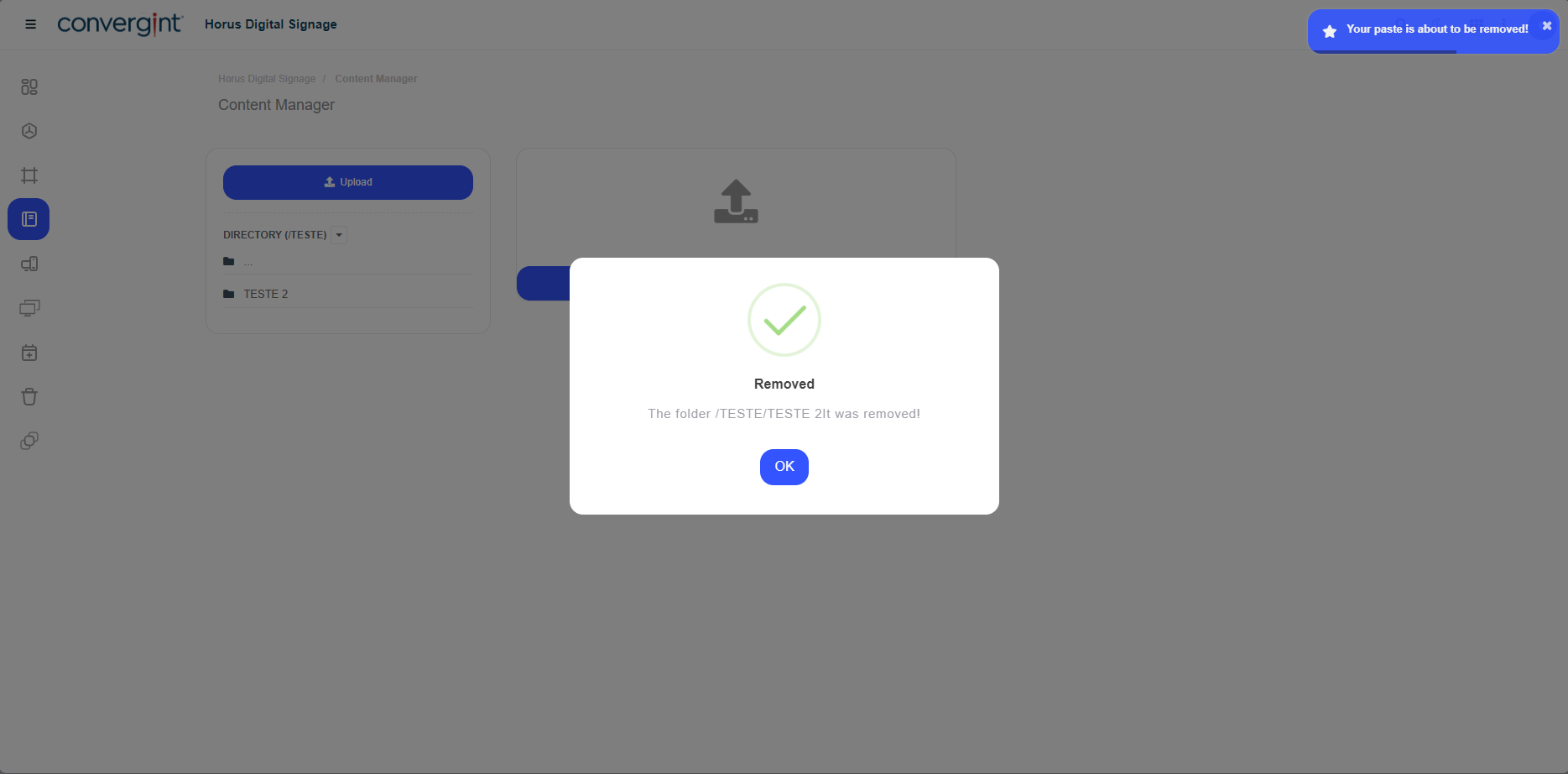
Removing the Subdirectory and Directory
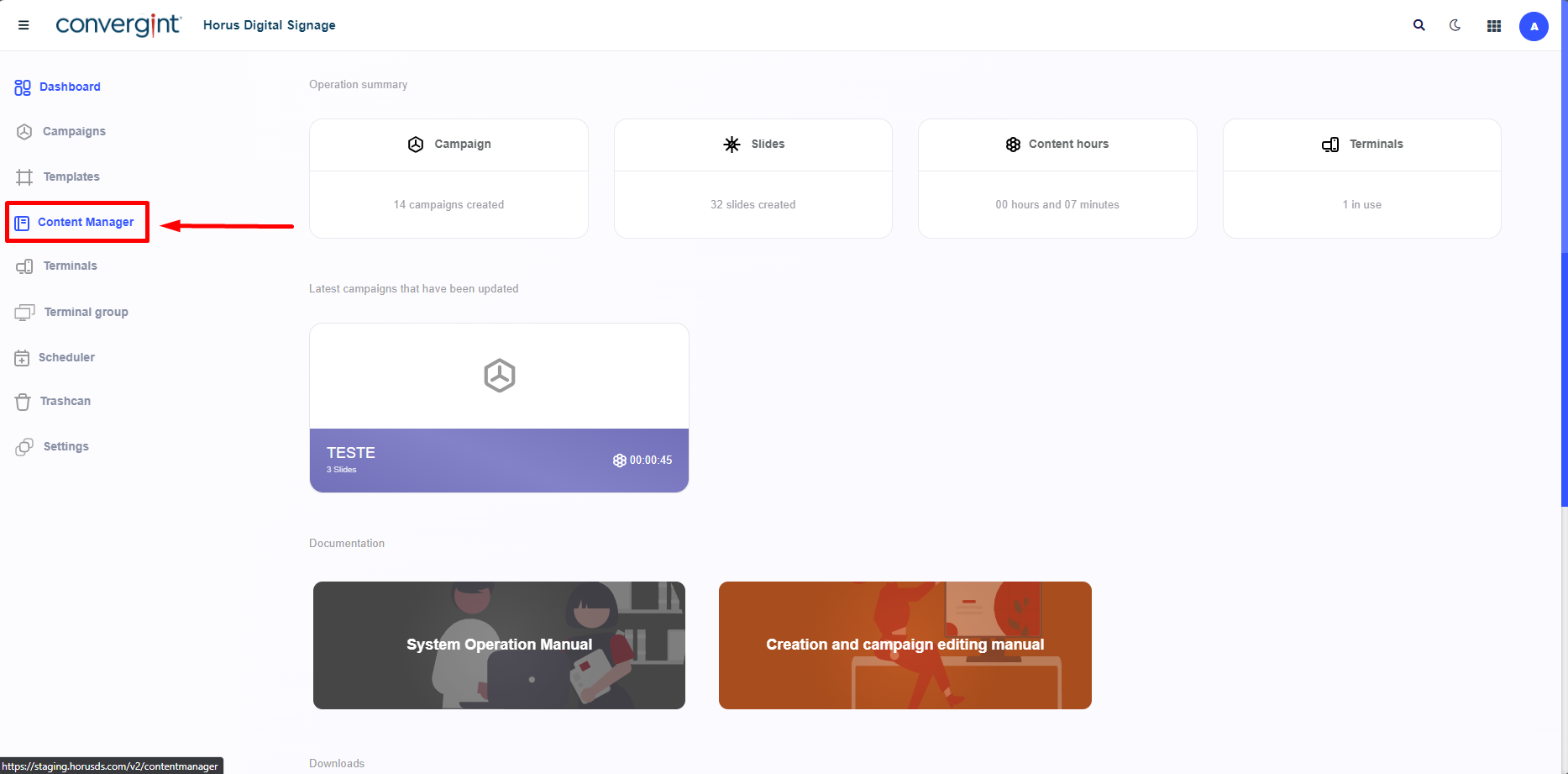
The first step to removing a subdirectory and directory is to access the "Content Manager" tab. Within this tab, there are functions that allow for the management of media files, such as images and videos, thus facilitating the process of creating slides in Horus Digital Signage.
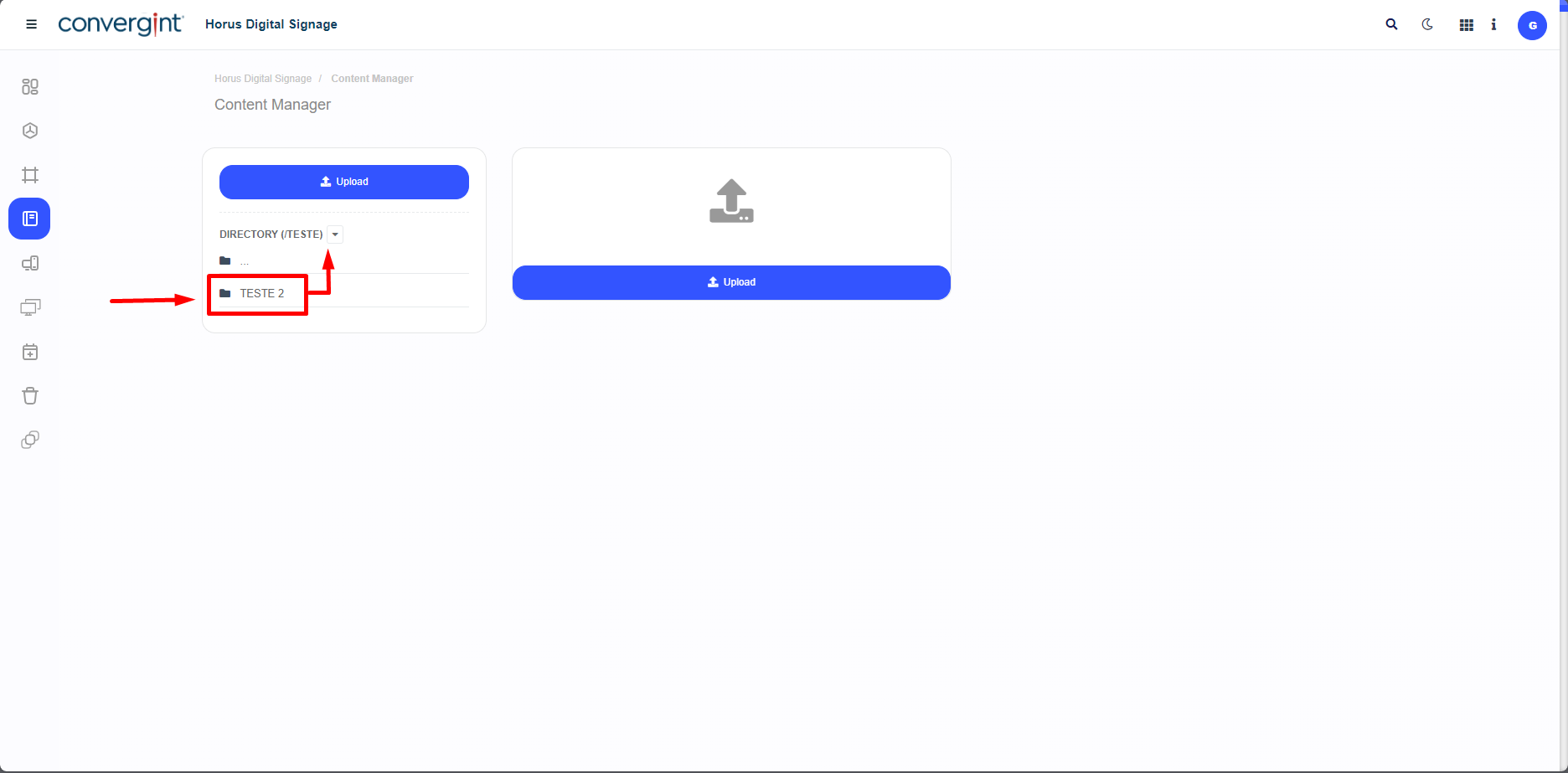
After following the previous steps, access the previously created directory and, within it, locate and access the subdirectory that was also created earlier.
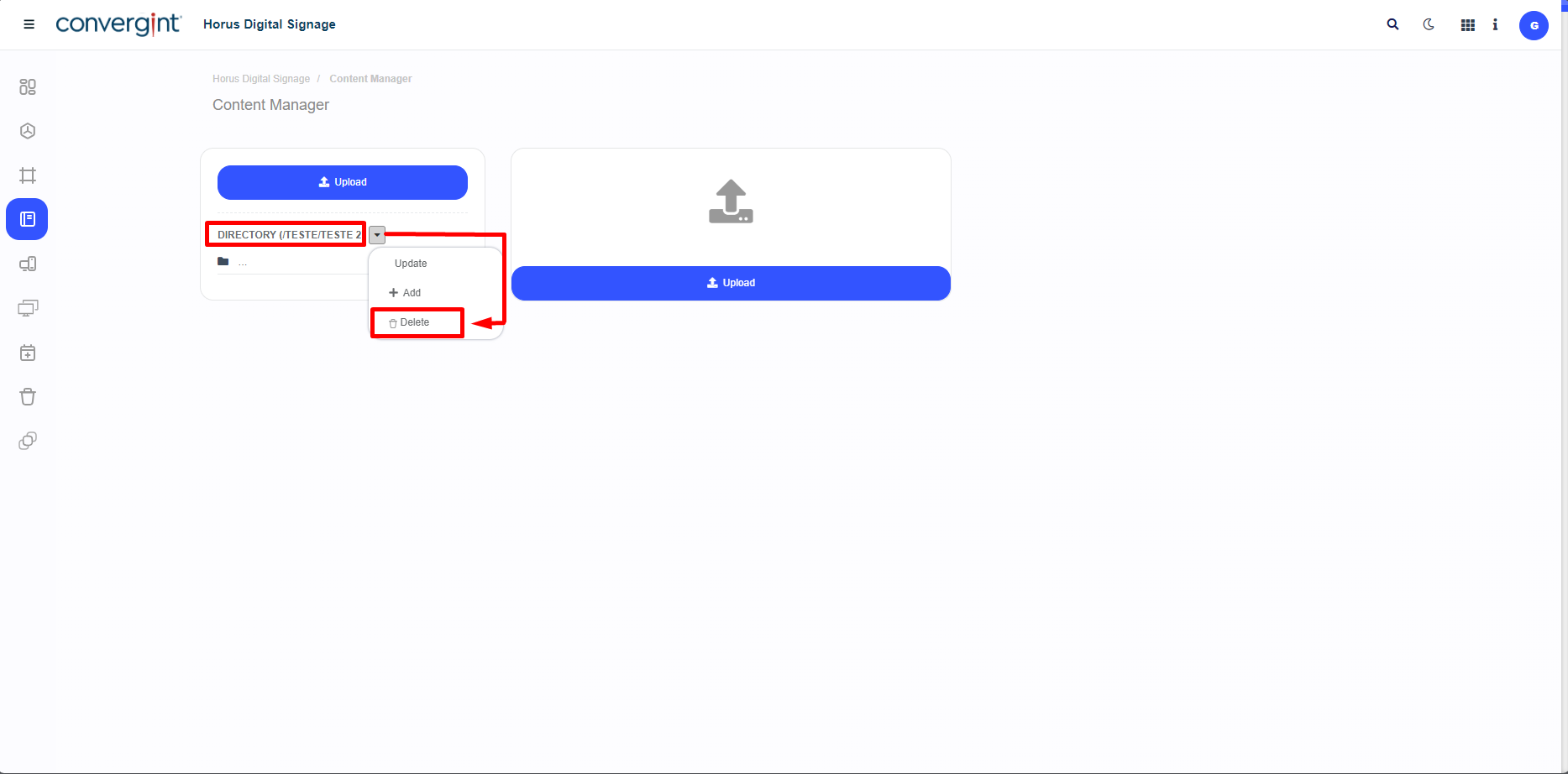
Upon accessing the directory and subdirectory, click on the highlighted option in the image below to start the removal process. Then, the option "Delete" will appear. To proceed, click "Delete."
The system will display a pop-up asking for confirmation to remove the subdirectory. To proceed with the removal, click “I agree.”
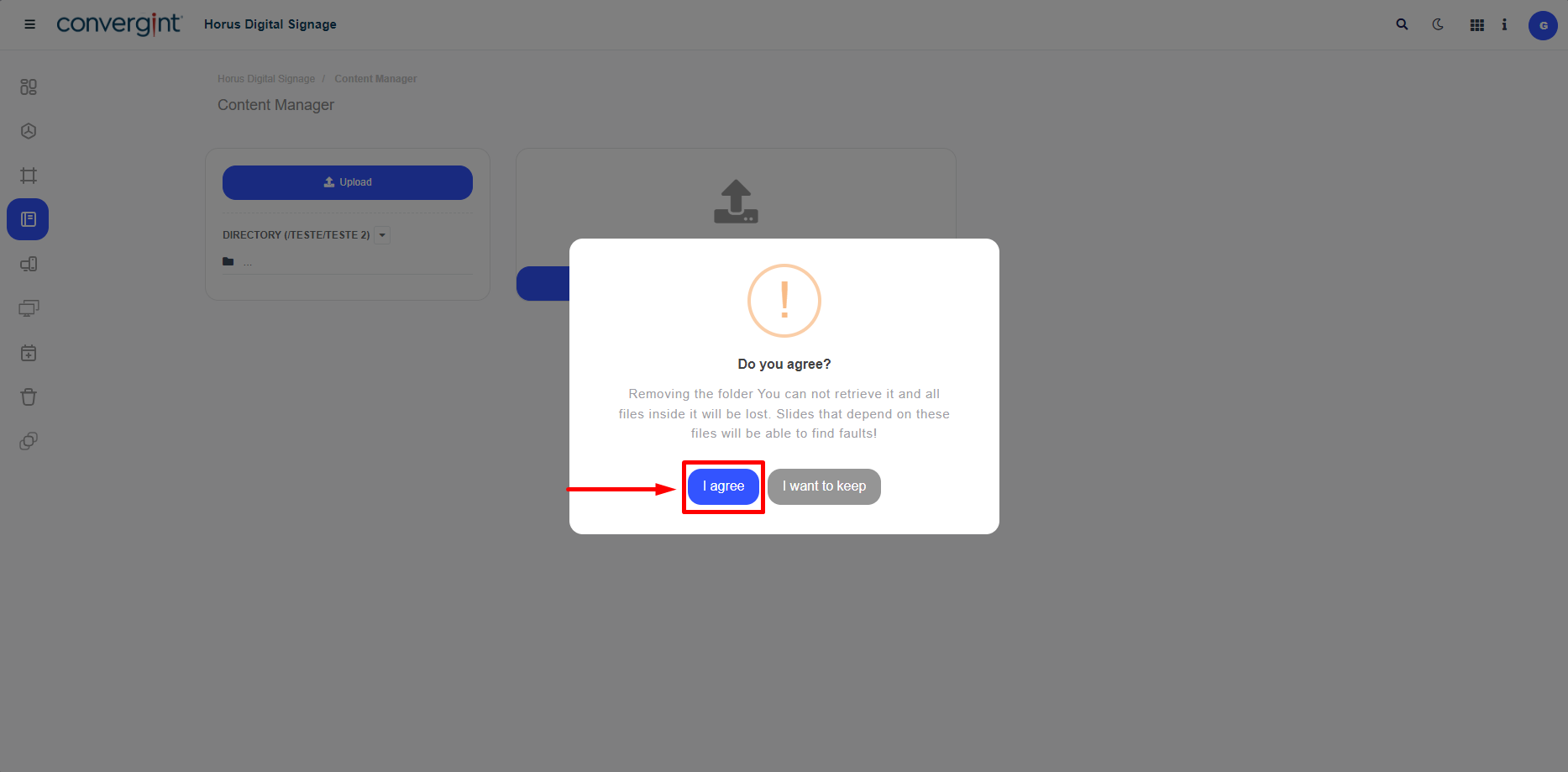
Done! Your subdirectory is removed. To remove the directory, just follow the same procedures for the directory you wish to delete.